Built for
the day
you get.
I’m Lainey, a rider and working student. I built RingStatus to keep horses, preparation, rides, and people organized through a day that keeps changing.
I need useful answers, not to get buried in notifications I can’t use. RingStatus sorts through changes for what matters. I use it with my team, see what helps, and keep adjusting what doesn’t.
Start with a plan
Know what needs to happen.
There’s getting everything to the show, caring for the horses, preparing for our classes, and keeping the team updated on progress. I need a plan that accounts for all of it.
H5 · VIEWPORT KICKER
The H1 follows the browser width.
The H2 uses a smaller viewport range.
This paragraph responds gently to the viewport. Its minimum and maximum prevent it from becoming too small or too large.
TEXT · Utility copy also scales from the viewport.
Getting the horses and tack to a show takes planning, whether it’s nearby or hours away. I need to know what each horse needs, what’s packed, what’s still missing, and what I need to get as soon as we get there.
Feed, care, exercise, and preparation take time. I need to know who’s responsible and when someone else takes over—for exercise, turnout, or a visit from the braider or farrier.
The published schedule gives me a starting point, but it includes everyone. I need to see my classes alongside my team’s so we can see any conflicts and plan how to get everyone ready and to their rings on time.
I need to know who’s riding, who’s helping, and who needs updates. Riders, grooms, and trainers have different jobs, so we don’t all need the same information.
Moving targets
When the day changes, our plan needs to keep up.
As soon as the day starts, it feels like the plan already needs adjusting. Erasing the whiteboard in the barn doesn’t help me when I’m at Pony Island. RingStatus helps me work through the changes from my phone. When the plan looks right, I can update it for the team.
The horses and their matching tack need to arrive together so we can get everything where it belongs and start horse care. As we unload, I need to know what’s missing or broken so we can reach out for replacements.
I need to know where each horse is and who has them. Whether they’re out for exercise, in turnout, or with the braider or farrier, the next person needs to know what’s been done and what’s still left.
Once the rings get moving, RingStatus follows the pace and who has actually gone. If I’m listed as ten out but three riders ahead of me have already gone, I can send a text and find out I’m really seven out—with a revised estimated go time.
We’re all coming from different spots, so we each get custom reminders timed to get us there in plenty of time.
Once we’re spread out, I need a way to ask a question, confirm a horse is ready, or let someone know I’m on my way. Two-way SMS, comments, and check-ins help us keep each other updated without having to dig through my group chat or scroll through an endless list of app notifications.
.svg)
Heading
Your horses, right beside their classes.
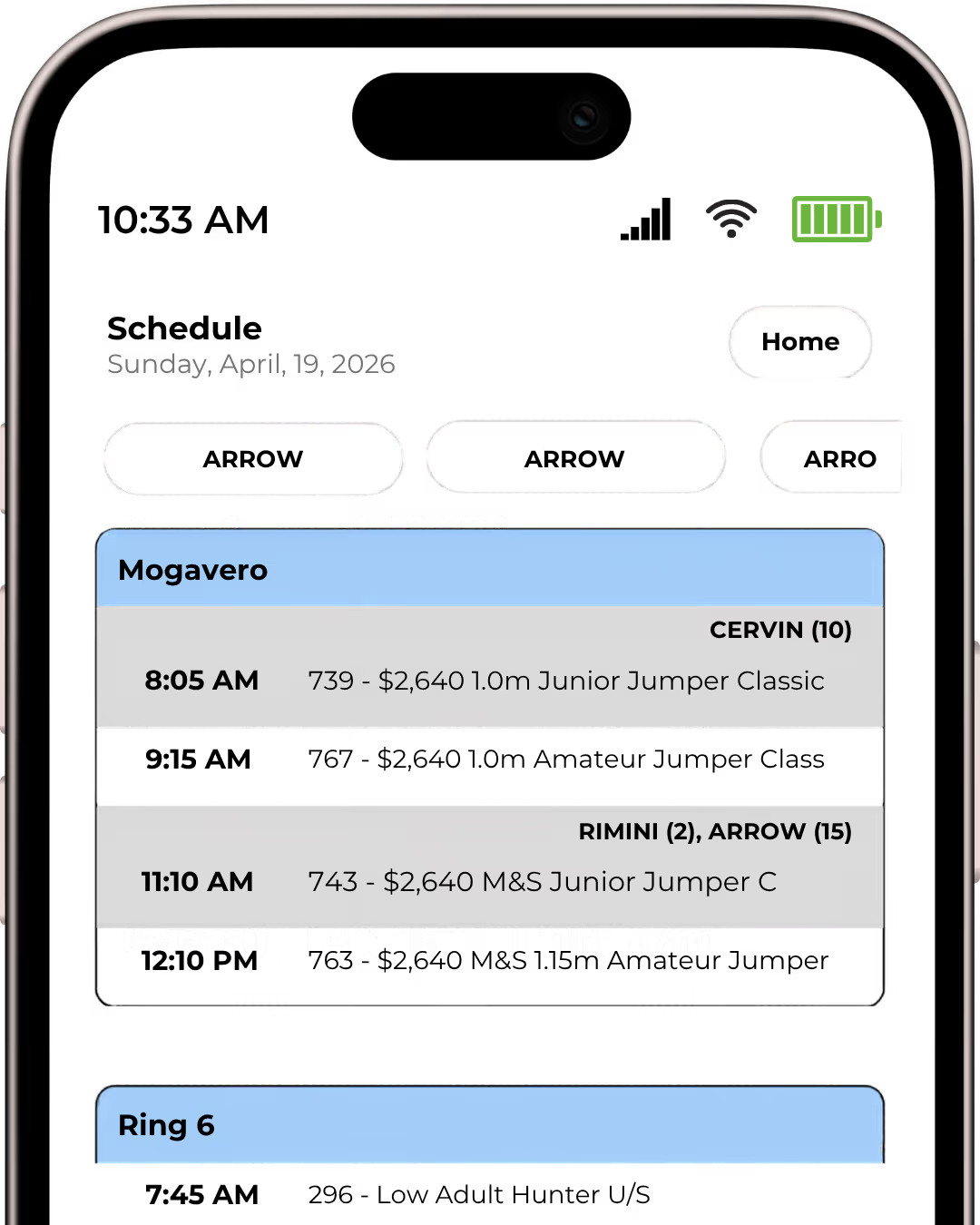
The horses you follow appear in the schedule with their order-of-go positions beside their names. If you’re keeping track of several in the same class, you can see where each one goes without matching the names to a separate list. It stays up to date without you having to refresh.
Heading
Just ask. In a text.
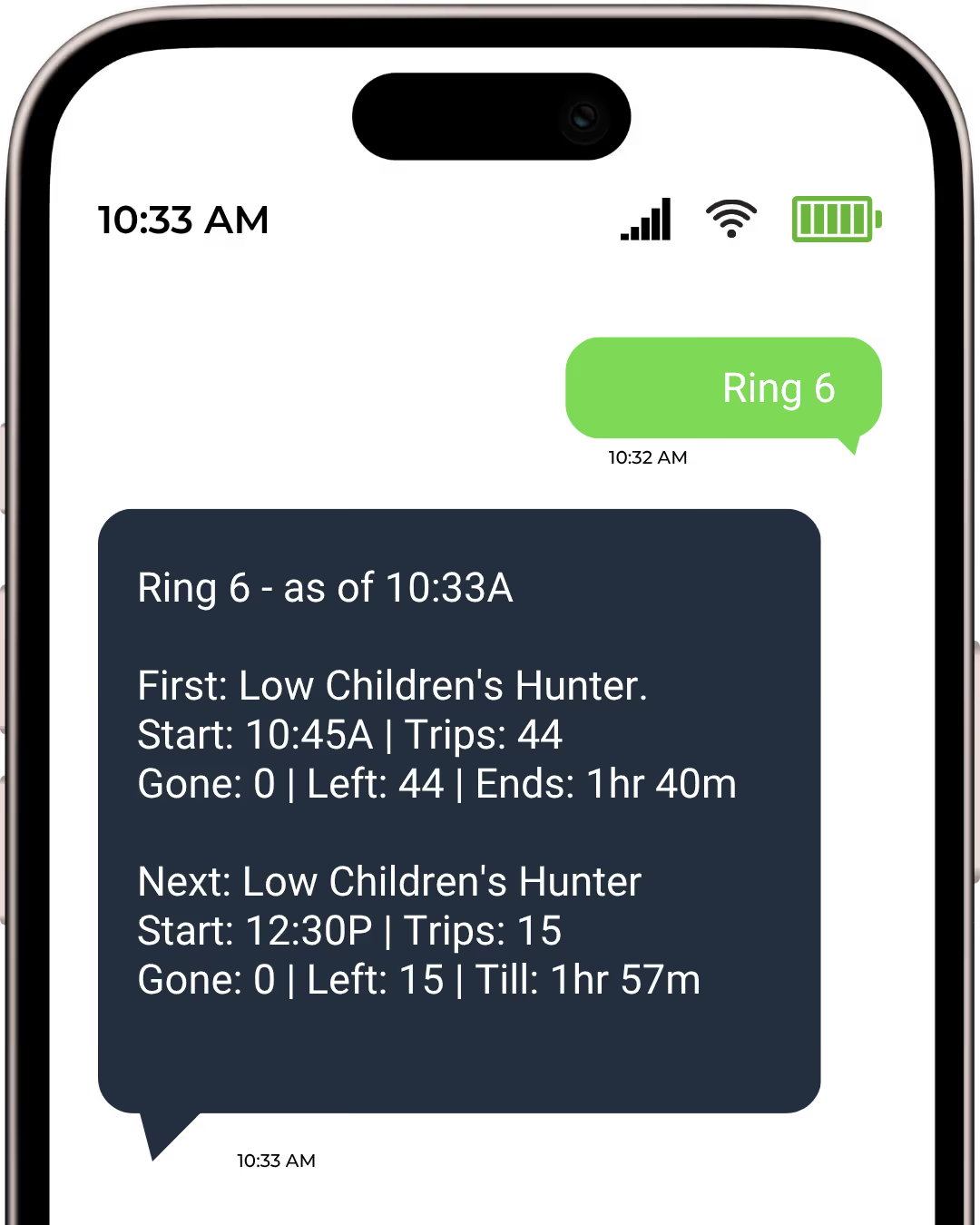
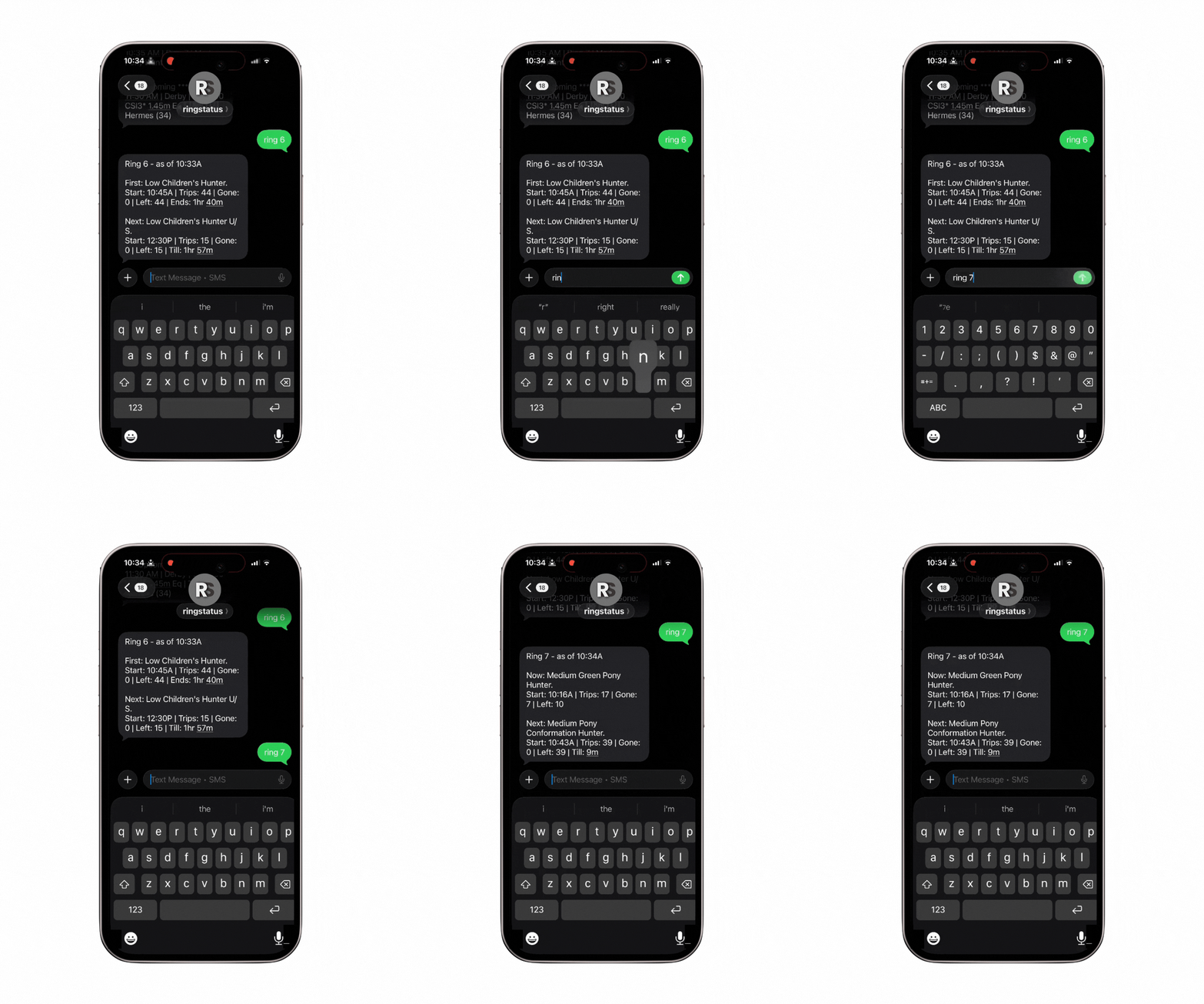
I type “Ring 7” and send it. The reply comes back in the same conversation. You can also text your name for your current status, or add “Results” for your latest results. That’s one of my favorite parts: I can ask for what I need, read the answer, and forward it to someone else who needs it too.
Heading
Reminders you can forward.
You’ve got more to do than keep checking the schedule. RingStatus sends reminders by text with the rider, class, ring, and time, plus what’s coming up next. Not just a notification stuck in your phone—an SMS you can forward to anyone.
.avif)




RingStatus — Built for the Day You Get
RingStatus keeps practical answers close while horses, people, rings, and plans keep moving across travel, care, show timing, and team updates.
https://ringstatus.com/
RingStatus keeps practical answers close while horses, people, rings, and plans keep moving across travel, care, show timing, and team updates.